Documentation
Everything you need to run 6till
From first launch to your first sale — and every offline feature in between. No internet required at any step.
Getting started
Download 6till from the Download page and run the installer. The browser engine is bundled, so it works on a fresh Windows PC with no internet.
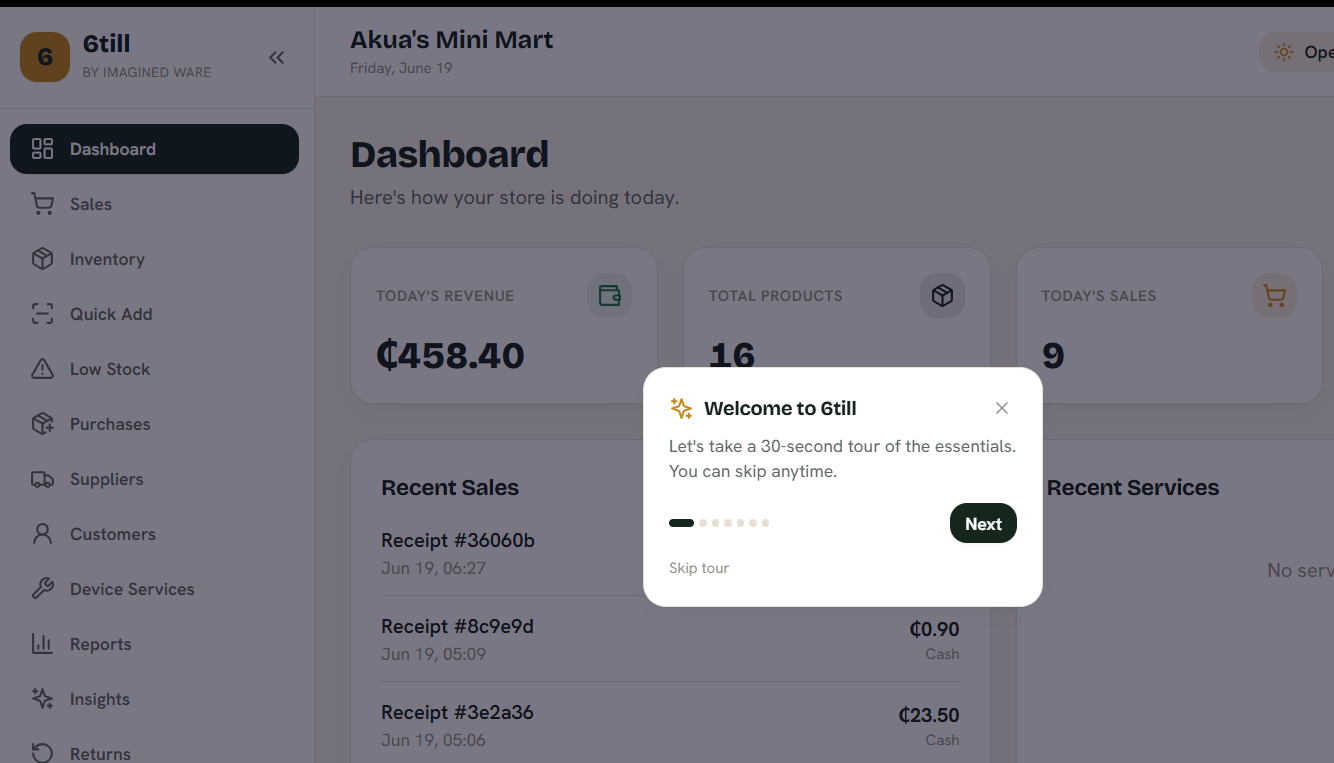
On first launch, sign in and a quick walkthrough points out the essentials. Your 14-day free trial starts automatically — no card, no account.
Add your products
Three ways to build your catalogue — use whichever fits the shop:
Import a spreadsheet. In Settings → Import Products, drop an Excel or CSV file, preview exactly what will change, and load hundreds of items in one click. Anything without a barcode gets a scannable internal SKU (like 6T000123) automatically.
Quick Add. Use a barcode gun: scan, type the name and price, press Enter, repeat — the cursor jumps back to the scanner for the next item.
Snap a photo. Tap Scan from phototo read a product's name and barcode straight off the packaging — fully offline, on the device.
Make a sale
Open Sales and it fills the screen with no admin menus — so a customer-facing second display only ever shows the sale, never your back office.
Scan or search items, then take payment by cash, card or Mobile Money(MTN, Telecel, AirtelTigo). Split a payment across methods and 6till works out the change. Receipts print straight to your thermal printer with no dialog, and there's always an on-screen copy as a fallback.
Inventory & low stock
Inventory lists everything you stock with live quantities and quick search by name or barcode.
The Low Stock view flags anything at or below its reorder level — out-of-stock first — so you never get caught short.
Insights
Insights turns your sales history into decisions — all computed on the PC, offline. No other offline till does this.
It forecasts which items will run out and how much to reorder, flags dead stock tying up cash, shows your true margins and best sellers, and reveals your busiest hours of the day.
Suppliers & purchasing
Keep supplier records, raise purchase orders, and receive stock — full or partial. Receiving updates quantities and writes to the stock-movement ledger, so every change is traceable.
Customers & credit
Track customers and run a credit book: sell on credit, watch each customer's balance, and record repayments as they pay down what they owe.
Users & roles
Give each staff member their own login. Roles — Administrator, Manager, Cashier and User — control what each person can see and do, and you can fine-tune the exact permissions in the Roles screen.
Cashiers get a locked-down till; managers get inventory and reports without touching settings or user management.
Activate your licence
6till is yours for a one-time price — no monthly fee. Buy a licence on this site (Mobile Money via Paystack in Ghana, or card internationally) and you'll get a licence key.
Paste it into the app's Activatescreen and it's unlocked forever, offline. The 14-day trial needs no key at all.
Imagined Ware · Mall edition — offline, forever.
Offline & backups
Everything runs on the shop's own PC against a local database — no internet, no cloud, no monthly bill.
Export a backup any time, and the day-close routine snapshots your data automatically. And with the 6till Cloud edition, the same data syncs across multiple tills and shops in real time.
6till Cloud — for multiple shops
Running more than one shop? 6till Cloud adds an online owner dashboard on top of the desktop till, so you can see and manage every shop from one place — on any device, nothing to install.
How it fits together: each shop keeps its own 6till desktop till, which still works fully offline. As the owner you sign in to the web dashboard to set up shops, tills and staff, and watch live sales and stock across the whole business.
- Owner dashboard — today's revenue and stock for every shop, combined and one by one.
- Shops & tills — add each shop and the tills it runs.
- Staff logins — create a username and password for each cashier or manager; they sign in on their shop's till.
- Strict per-shop separation — a shop's stock, sales and staff are its own. Only you, the owner, see across shops.
- Offline-first sync — tills keep selling with no internet and sync up automatically when they reconnect, with no double-counting.
Get started at 6till-cloud.imaginedware.com — create your business, add your shops, and connect each till. See pricing for the Cloud plan.